Computers and programming languages introduction

by Eugeniy E. Mikhailov and Greg Bentsen

Class goals and structure

Primary purpose

Computers introduction

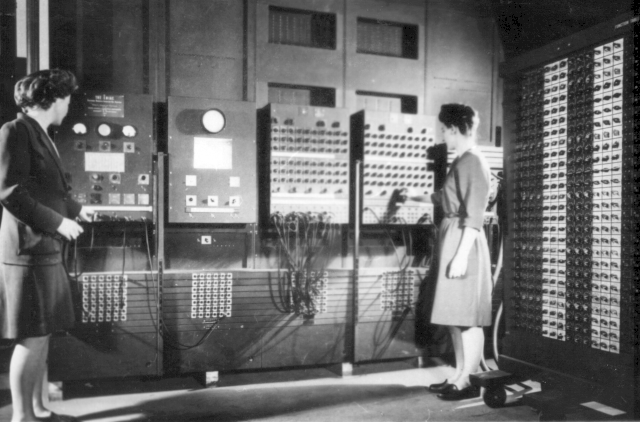
Early history of computing

Two women operating ENIC. Source Wikipedia.
  • weight: 30 tons
  • cost: $500,000 ($6,000,000 adjusted)
  • power consumption: 150 kW

ENIAC vs modern PC

What can be done in 1 second?

ENIAC

  • 5000 additions
  • 357 multiplications
  • 38 divisions

Intel i7 3000+ (5GHz) circa of 2025

  • 2,600,000,000 additions
  • 1,200,000,000 multiplications
  • 193,000,000 divisions
  • 146,000,000 sin operations

Common features of modern computer

Speed measured in FLOPS (the number of floating point operations per second) which usually proportional to the clock frequency.

Different computer architectures (AMD, Mac, Intel, ARM …) have different proportionality coefficient.

My 2 GHz AMD Phenon PC (circa 2011) can do about 50 MegaFLOPS

Energy consumption

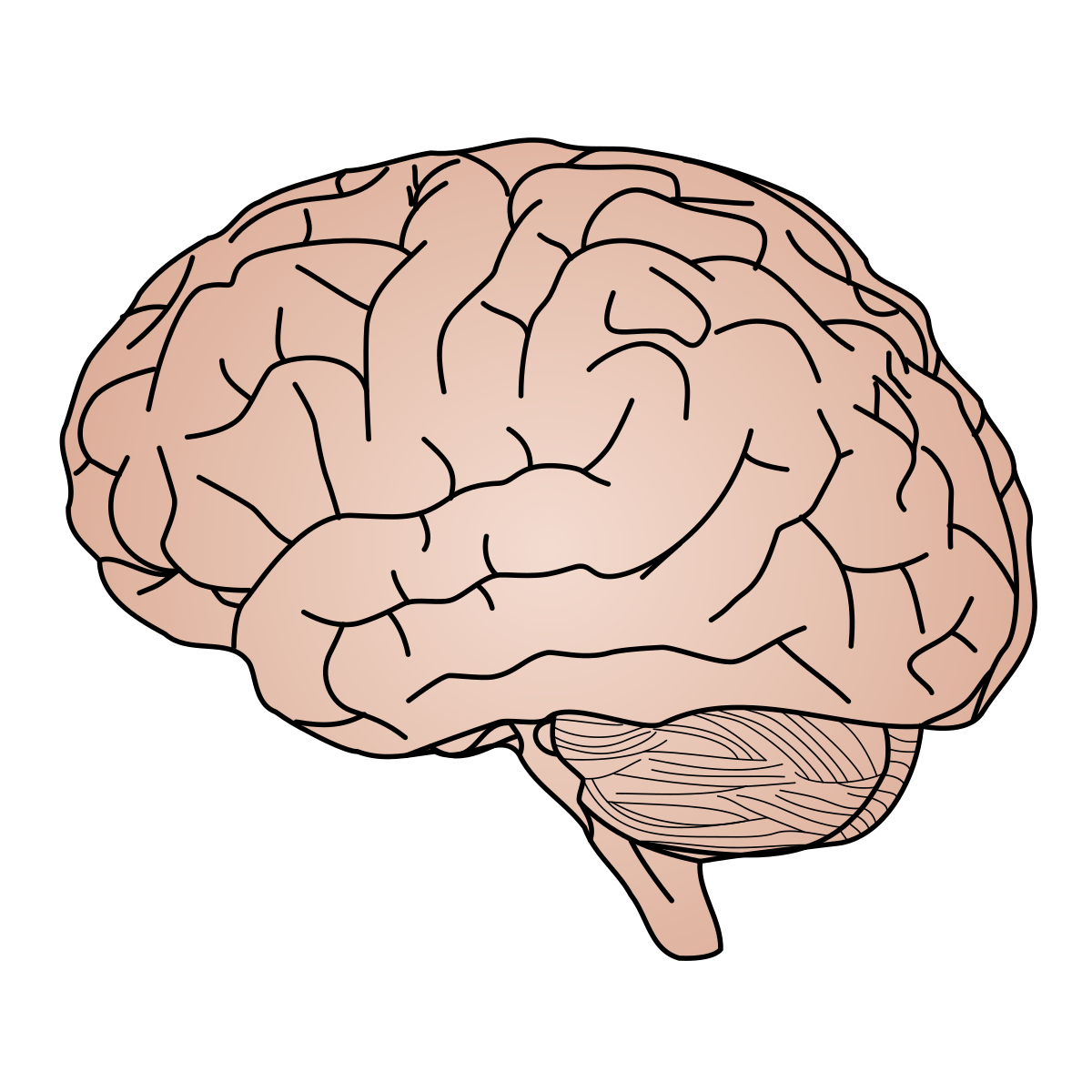
Brain

  • Idle: 100W
  • Heavy use: 100W
Brain. Source Wikipedia

Desktop or Notebook

  • Idle: < 100W
  • Heavy use: 200W - 1000W

AI capable computer

  • Idle: < 100W
  • Heavy use: 1kW - 10kW

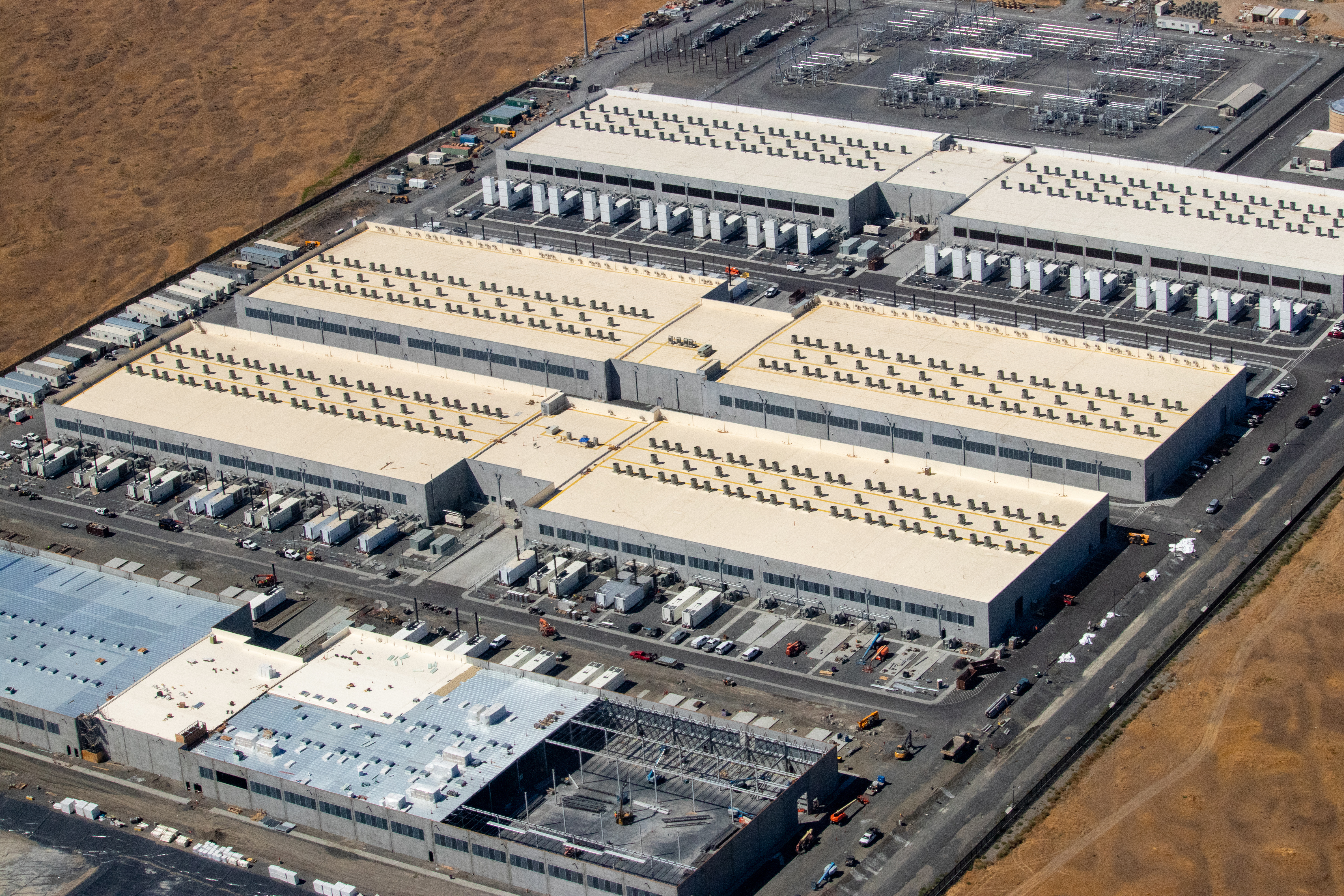
Data center

  • Idle: NA
  • Heavy use: town level
Amazon data center. Source Wikipedia

Note: Data centers annual energy use is 4.4\approx 4.4% of U.S. annual electricity consumption according to congress.gov (2023 report)

Computers …

Computers are incredibly fast, accurate, and stupid. Humans beings are incredibly slow, inaccurate, and brilliant. Together they are powerful beyond imagination.

Leo Cherne (1969)
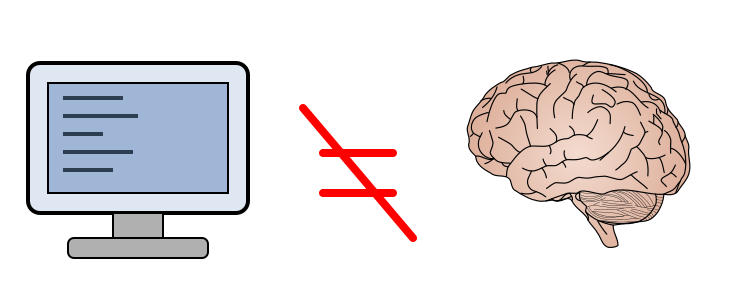
Computer is not a substitute for a brain. Source AI.

Programming languages overview

There are hundreds of programming languages.

Unfortunately none of them serve all needs.

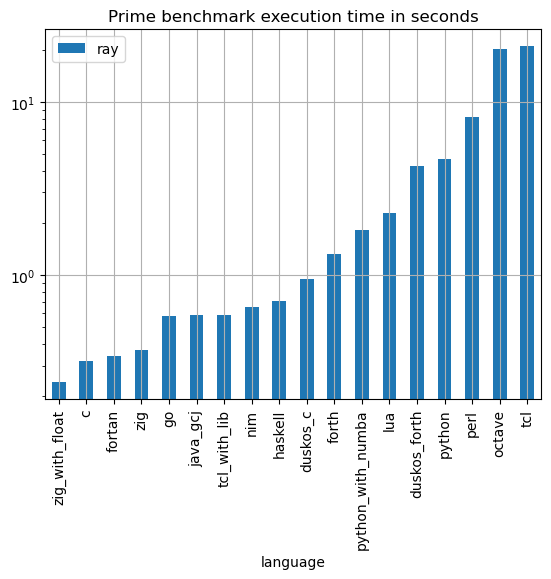
Programming languages benchmark

Execution time. Smaller is better
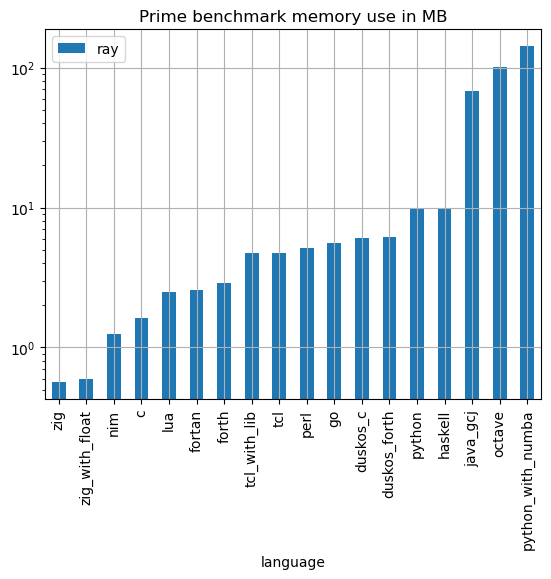
Memory usage. Smaller is better

Programming languages implementations

Compiled

  • generate computers binary code
    • it takes time
  • faster execution time
  • a bit harder to debug
  • if you find and fixed an error (bug) you need to recompile
  • Examples: Assembler, C, C++, Fortran

just-in-time compilation

  • middle ground
  • compile once to bytecode before or during execution
  • cross-platform
  • Examples: Java, Python

Interpreted

  • No compilation
  • interpretation to machine code per instruction
  • slow (since you have to interpret same instruction over and over)
  • cross-platform code
  • Examples: Python, Perl, JavaScript, Lua, Php, Tcl, Shells, Matlab

Python as a language of choice

Pros

  • interpreted
    • easy to use and debug
  • quite fast if done right, since main functions are compiled
  • large selection of scientific related functions
  • built in graphics and plotting
  • Turing complete (you can do with it everything which computer is capable)
  • rudimentary symbolic calculations

Cons

  • interpreted
    • could be slow if programmed inefficiently
  • numerical calculations are afterthought

Python was conceived by Guido van Rossum with the first release in 1991.

Python: where to get

Please, do it before this Friday class, also do not forget to bring your notebooks/laptops with you for Friday classes.

Discretization - the main weakness of computers

For example: 1/6=0.16666666666666661/6=0.1666666666666666\cdots

But computer has limited amount of memory. Thus it cannot hold infinite amount of digits and has to truncate somewhere.

Let’s say it can hold only 4 significant digits.

1/6=0.1667c1/6=0.1667_c

This called round off error due to truncation/rounding. Then for computer

1/6=1/5.9991/6=1/5.999

or

0.𝟏𝟔𝟔𝟕123=0.𝟏𝟔𝟔𝟕321=0.𝟏𝟔𝟔𝟕222=0.𝟏𝟔𝟔𝟕1110.\mathbf{1667}123 = 0.\mathbf{1667}321 = 0.\mathbf{1667}222 = 0.\mathbf{1667}111

or even more interesting

20×(1/6)20/6=20×0.16673.333=3.3343.333=10320 \times (1/6)-20/6=20 \times 0.1667 - 3.333= 3.334-3.333=10^{-3}

Binary representation

Binary representation - why PHYS 256

Modern general purpose computers use binary representation

Bit is too small so we use byte

Binary representation (cont.)

Byte is clearly too small to be used for real life computation.

Note that in stock Python integers are unbound

but in practical (fast) math Python uses up to 8 bytes or 64 bits for number representation (this is CPU dependent)

Floating-point representation aka scientific notation

What to do if you need to store a float number?

For example 123.765×10¹²-123.765 \times 10^{12}

Floating-point binary representation

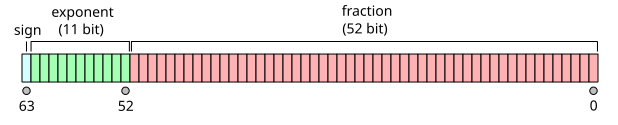
Computers internally use binary base

IEEE 754 internal binary representation. Source Wikipedia

Overflow and underflow errors

Round off errors